
Scenario
Database timeout cascade
Retries would have stacked, delayed refunds, and obscured the real first failing tool.
Detected by
Stress test: db.timeout + replay attribution
Outcome
Caught in staging, replayed, and hardened before rollout.
Product
Debug in the browser first, then install the recorder to capture traces in code, and gate releases in CI when the workflow is stable. No account required to start.
What ships
Debug in the browser
Paste a trace and see where it failed or looks risky.
Record in code
Install the recorder to capture traces automatically from real workflows.
Gate in CI
Turn reliability findings into release gates that block regressions automatically.
Analysis
Instant
No sign-in required
History
Saved later
When the trace matters
CI
CI-ready
Block on pass rate
Platform surfaces
Debug in the browser, record in code, then gate in CI.
Immediate debugger
Paste JSON, logs, or raw text and isolate the failure location, likely cause, and next fix before sign-in.
Open the debugger
Deterministic review
Re-run the same trace step by step so the fix can be compared against a faithful timeline.
See replay history
Change validation
Place the failed run next to the fixed run and verify whether the change actually improved the path.
Compare recent runs
Find what breaks
Inject timeouts, schema breaks, and rate limits into a passing trace to find failures before release.
Run a stress test
Guardrails
Set limits on which tools your agent can call. Require approval before sensitive operations go through.
Configure policies
Block on failure
Block merges and deploys when trace checks fail below your pass threshold. Integrates with GitHub Actions.
Read the CI guide
Governed scale
Keep your agent workflows reviewable and ready for security and compliance requirements as your team grows.
See team controls
Failure classes
Agents rarely fail like ordinary software. They often continue returning believable outputs while a schema shifts, a downstream service degrades, or approval logic is quietly bypassed.
Scenario
Retries would have stacked, delayed refunds, and obscured the real first failing tool.
Detected by
Stress test: db.timeout + replay attribution
Outcome
Caught in staging, replayed, and hardened before rollout.
Scenario
An agent could have triggered unauthorized tool actions from crafted external input.
Detected by
Policy + security checks on replayed support workflow
Outcome
Sanitization and deny rules were added before release.
Scenario
Downstream logic would have silently dropped billing events while returning superficially valid responses.
Detected by
Schema stress test + contract validation
Outcome
Parser was hardened and the CI gate blocked the change until fixed.
Screenshots
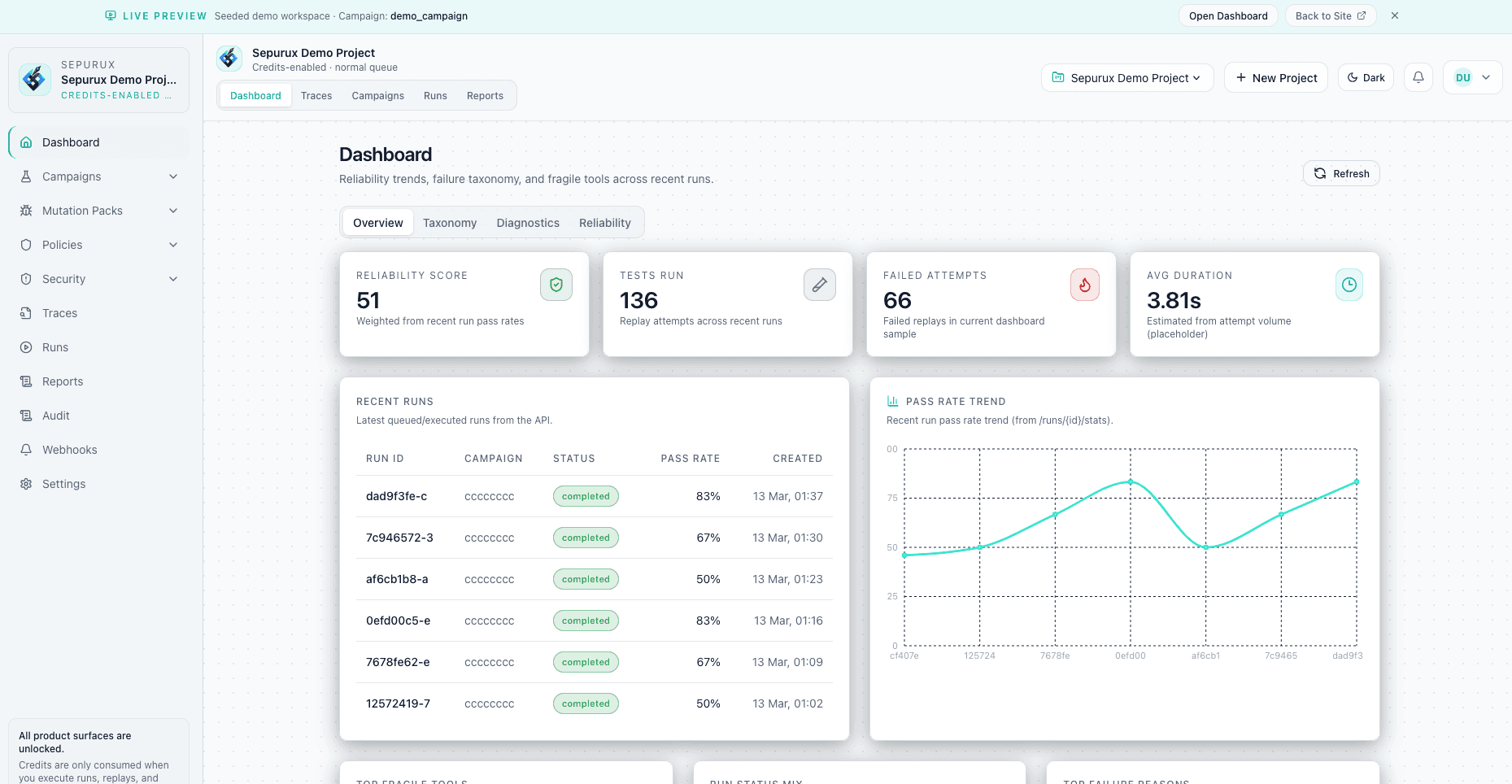
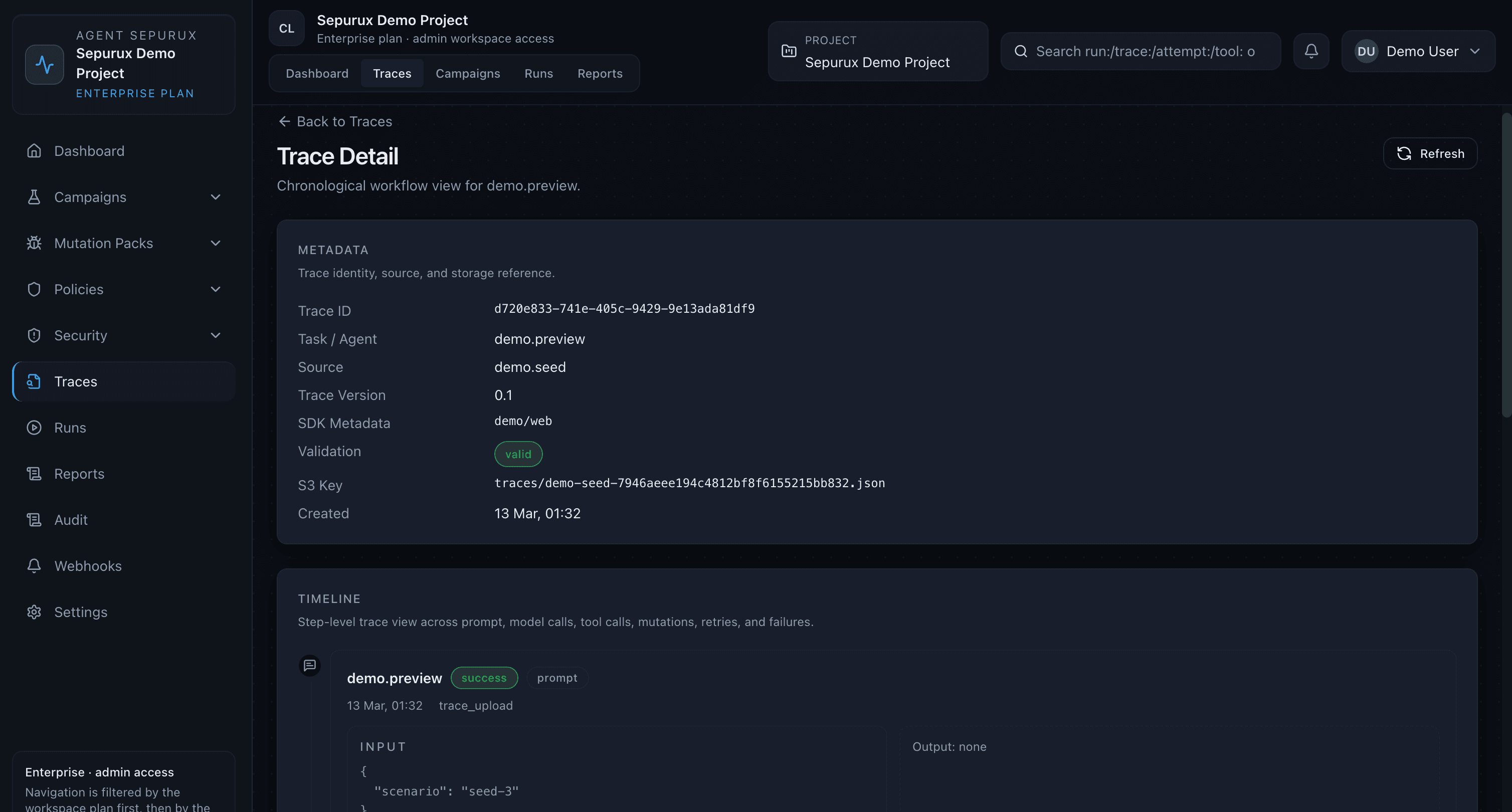
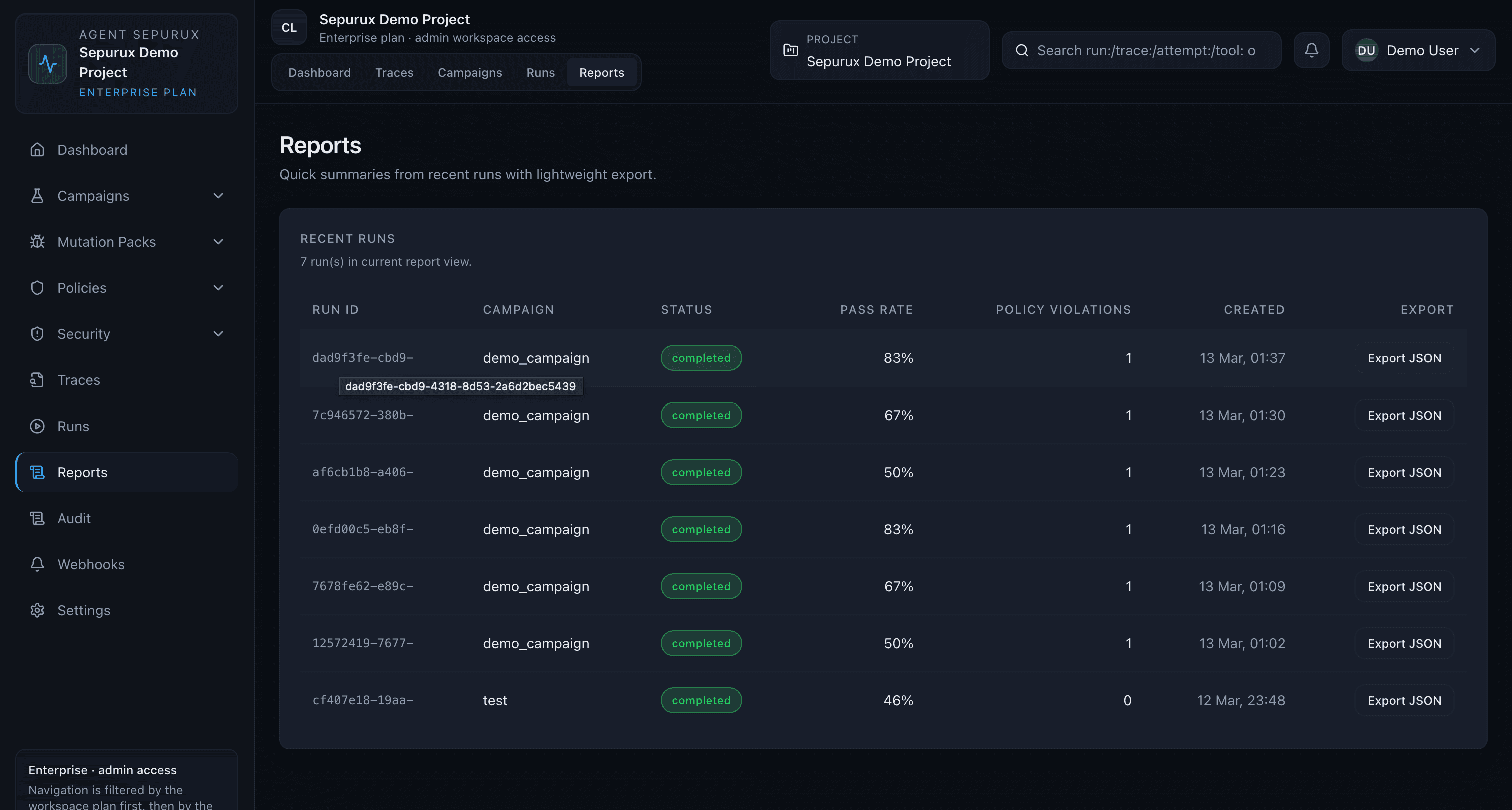
Replay traces, review stress test results, and read the failure report — all in one place.
Fits your stack
Sepurux is easiest to adopt when the first step is obvious: debug a trace first, then install the recorder to capture traces automatically, and gate releases in CI.
Connects to
OpenAI SDK
LangChain
LangGraph
GitHub Actions
OpenTelemetry
Vercel AI SDK
Pydantic AI
MCP tools
Typical workflow
01
Capture the trace once
Keep the real agent story instead of rebuilding it by hand.
02
Install the recorder in code
Capture traces automatically from real workflows after the first browser debug pass.
03
Promote stable traces into CI gates
Hand the same trace to replay, stress testing, or release gating when the fix is ready.
Replay later
Use the same trace again when you want a second pass after the fix.
Continuous checks
Promote stable cases into CI or scheduled reliability checks.
Saved traces
Persist the analysis once it matters for your team history.
Policy gates
Keep approvals and guardrails available when the workflow gets sensitive.
Release control
The product is strongest when it stops being a dashboard you check later and becomes a gate the team cannot ignore.
name: Sepurux Reliability Gate

on:
  pull_request:
  workflow_dispatch:

jobs:
  reliability-gate:
    runs-on: ubuntu-latest
    steps:
      - uses: actions/checkout@v4
      - uses: sepurux/sepurux-platform/.github/actions/sepurux-gate@main
        with:
          base_url: ${{ secrets.SEPURUX_API_BASE_URL }}
          token: ${{ secrets.SEPURUX_API_KEY }}
          project_id: ${{ secrets.SEPURUX_PROJECT_ID }}
          campaign_name: refund-reliability
min_pass_rate: "0.85"Scenario coverage
100%
Unsafe attempts
0
Pass rate
0.92
Governed scale
As programs mature, Sepurux becomes the place where platform teams, security reviewers, and operators evaluate whether an AI workflow should run at all.
Capability
Project-scoped metrics across audit, policy, and security events for governance reporting and release review.
Capability
Approval rules, unsafe action blocks, sanitization layers, and tool zoning for sensitive workflows.
Capability
Structured event history for incident review, approvals, and operational accountability as the program scales.
Ready when you are
Use the sandbox for the first analysis, install the recorder for continuous capture, then move into replay, stress testing, and CI gates when you want the fix to hold.
FAQ